
The reverse CRM: start from the data, not from the CRM
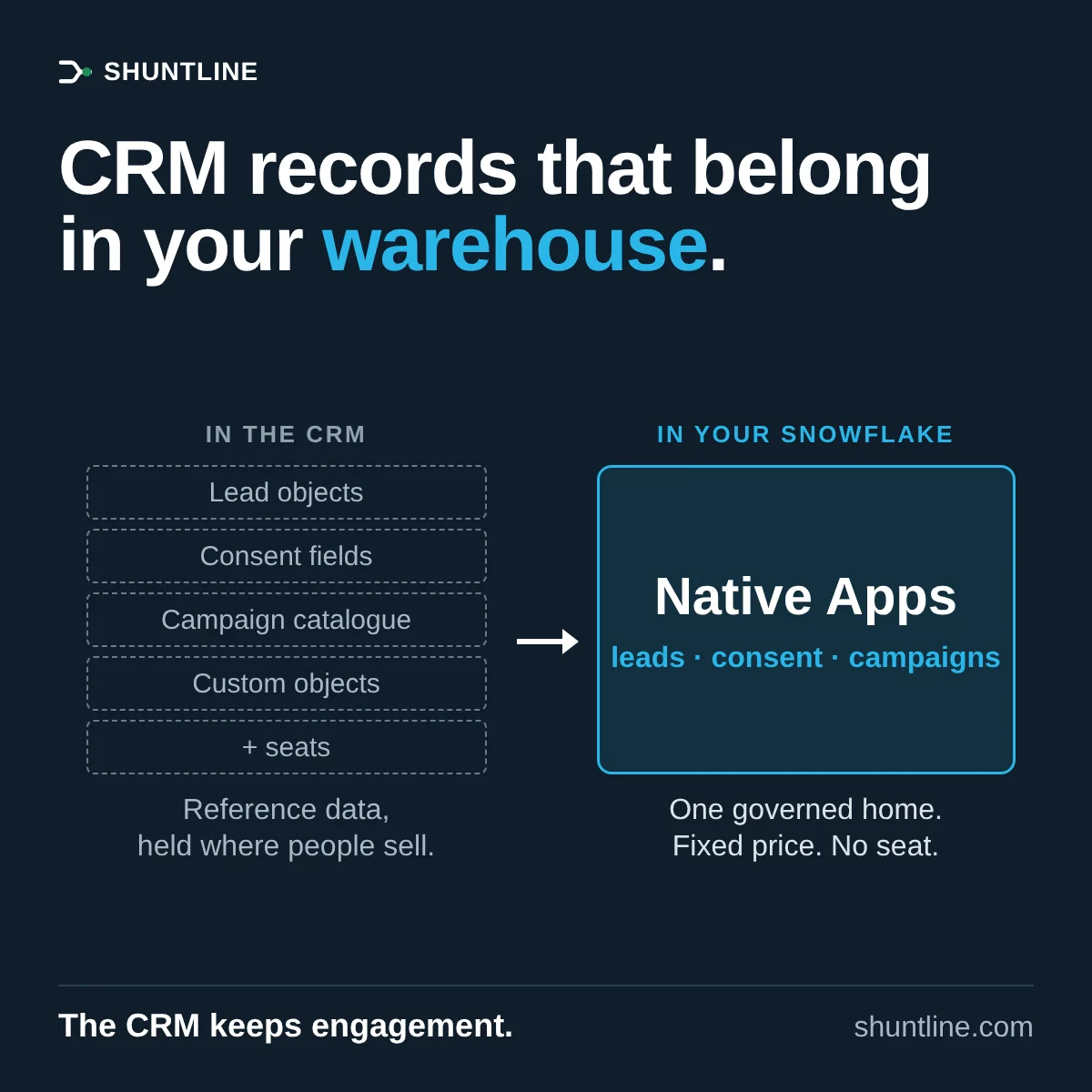
In most enterprises the CRM sits on top and the data warehouse feeds it. People start their day in the CRM. The warehouse is plumbing they never see. A reverse CRM turns that picture upside down.
reverse CRM /rɪˈvɜːs ˌsiː ɑːr ˈɛm/ · noun To move users and records upstream: people start from the warehouse, and the CRM receives only what it needs to engage.
The cycle we inherited
Operations run in the CRM and the tools around it. At night, integration jobs copy what happened into the warehouse. Analysts build reports after the fact. When an insight has to reach the front line, reverse ETL pushes it back into the CRM so that the people who live there can see it.
In that cycle the warehouse is the end of the line. And every time a team needs context the CRM does not hold, such as ERP status, product usage or order history, the answer is one more integration that copies the warehouse into the CRM.
The cost is measurable. In a composite of eight enterprise Salesforce estates, about 27% of contracted seats were doing work: 4,720 named seats, 1,296 users who wrote business data. Custom objects held 214.6 million records, and 38.2 million of them sat on object types nothing had written to in two years.
What changed
Three things, and none of them came from a CRM vendor.
- The warehouse can hold the working record. Transactional records, such as a lead being routed or a consent being changed, can now live in the Snowflake account, governed like everything else there.
- The pipe between operations and analysis is gone. The operational record and its analytical twin sit in the same account, under the same rules.
- Business users arrived. Snowflake CoWork gives a sales manager a way into governed data: questions, dashboards, artifacts. The warehouse has a front door that was not built only for data engineers.
Three steps, top-down
- Start from enterprise data. CRM reference data, ERP, usage, orders, history. A business user's first screen is their own data, in context.
- Land in a governed zone. One place knows who each person is, which teams they belong to and which part of the data they may see. It decides once, for every way in.
- Go down to the solution that does the job. A small application on Snowflake for reference data: a lead desk, a consent register, a campaign catalogue. A specialised tool outside for engagement: Salesforce, a CDP, a marketing platform. Each receives what it needs to act, not a copy of everything.
The difference with reverse ETL is direction. Reverse ETL copies warehouse data back into the CRM for users who start there. A reverse CRM moves the users and the records upstream, and sends the CRM the outcome.
Governance is the hard part
If people and their AI agents start from the warehouse, who decides what they see? The answer is to decide access once and let the platform enforce it. Snowflake authenticates through the company's identity provider. One layer holds teams, roles and data scopes. Snowflake applies them to every query, whether it comes from a dashboard, an app or an agent. That is the job of Shuntline Hub.
What it is not
It is not against Salesforce. Most estates will keep Salesforce as their engagement backbone, and they should. A CRM relieved of reference data and read-only seats is a better CRM.
It is not a big-bang migration. One entity moves at a time, chosen from a measured estate.
It is not another SaaS. Everything runs in the customer's own Snowflake account.
Start from the data. Act from there.
A longer version of this essay, with sources, is published on Medium.
Next: Referentials are not workplaces: which records belong in the warehouse →