Shuntline›Solutions
Solutions · CRM use cases that found a new home
Out of the CRM, at home on Snowflake
solution /səˈluːʃən/ · noun A use case the audit took out of the CRM, given a small adaptable Snowflake Native App of its own, with its records in hybrid tables and its screens in Streamlit, in your account.
Each solution is a referential that used to be a Salesforce object and should not have been. It ships as a focused application: a handful of screens, rules an administrator edits, standard Snowflake connectors for senders and consumers. Each one is a Snowflake Native App, installed from the Snowflake Marketplace into your account: records in hybrid tables, screens in Streamlit, compute on your own Snowflake contract. Standalone where the catalogue fits, custom where it does not.
The catalogue
Three use cases most CRM audits surface first. Each stands alone; together they describe a person before the CRM hears about them, and that audience is pushed by reverse ETL to Marketing Cloud or other downstream solutions. The catalogue grows wherever the pattern applies.
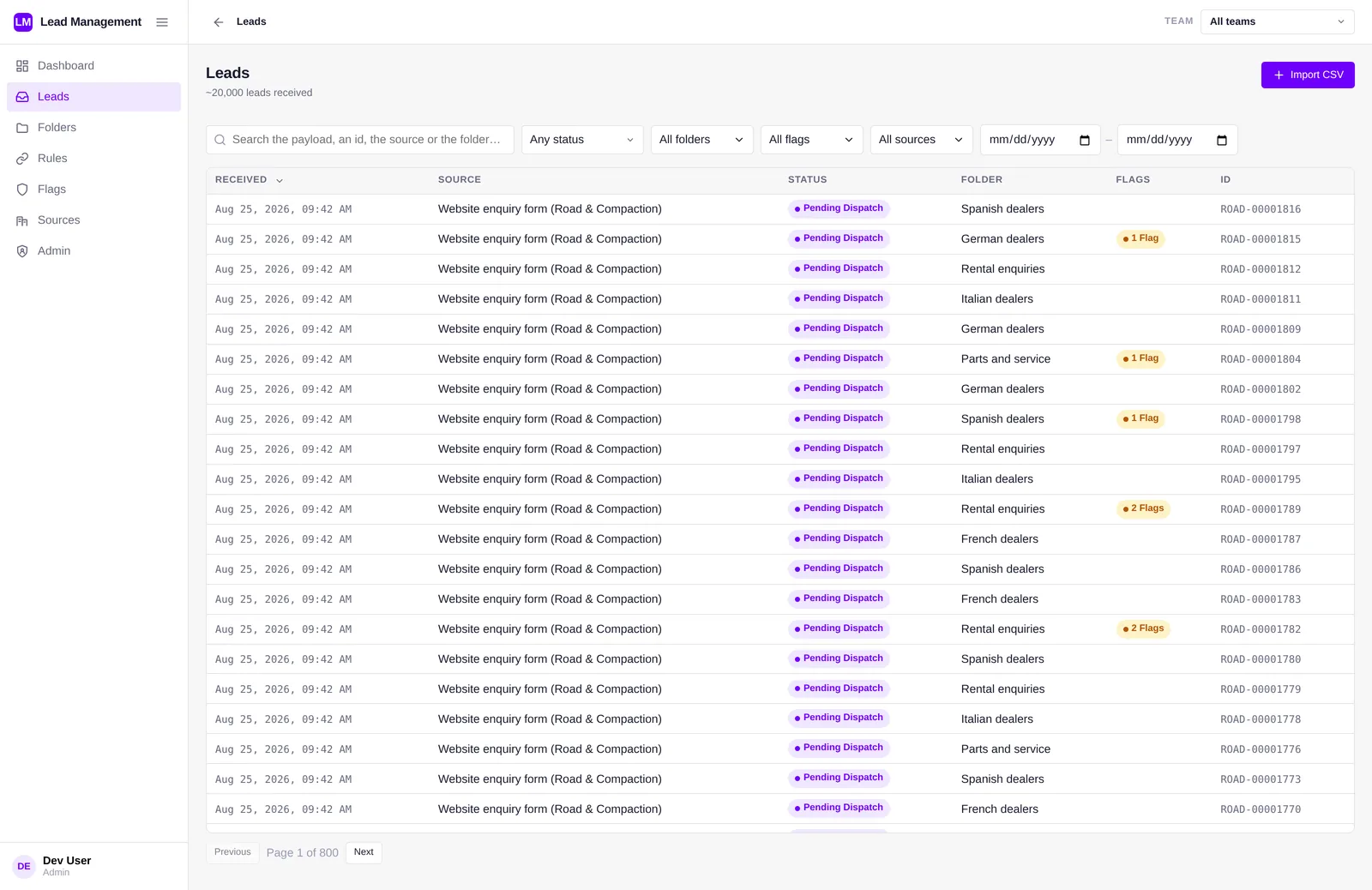
Every lead onto the right track
One intake for every sender, in whatever JSON shape they use. Flagged at the door, filed by rules, collected or pushed to whoever works it. Salesforce receives the converted opportunity.
- Snowflake connectors, CSV and agents in · folders, webhooks, MCP out
- no schema to declare, payloads frozen
- conversion is the only write to the CRM
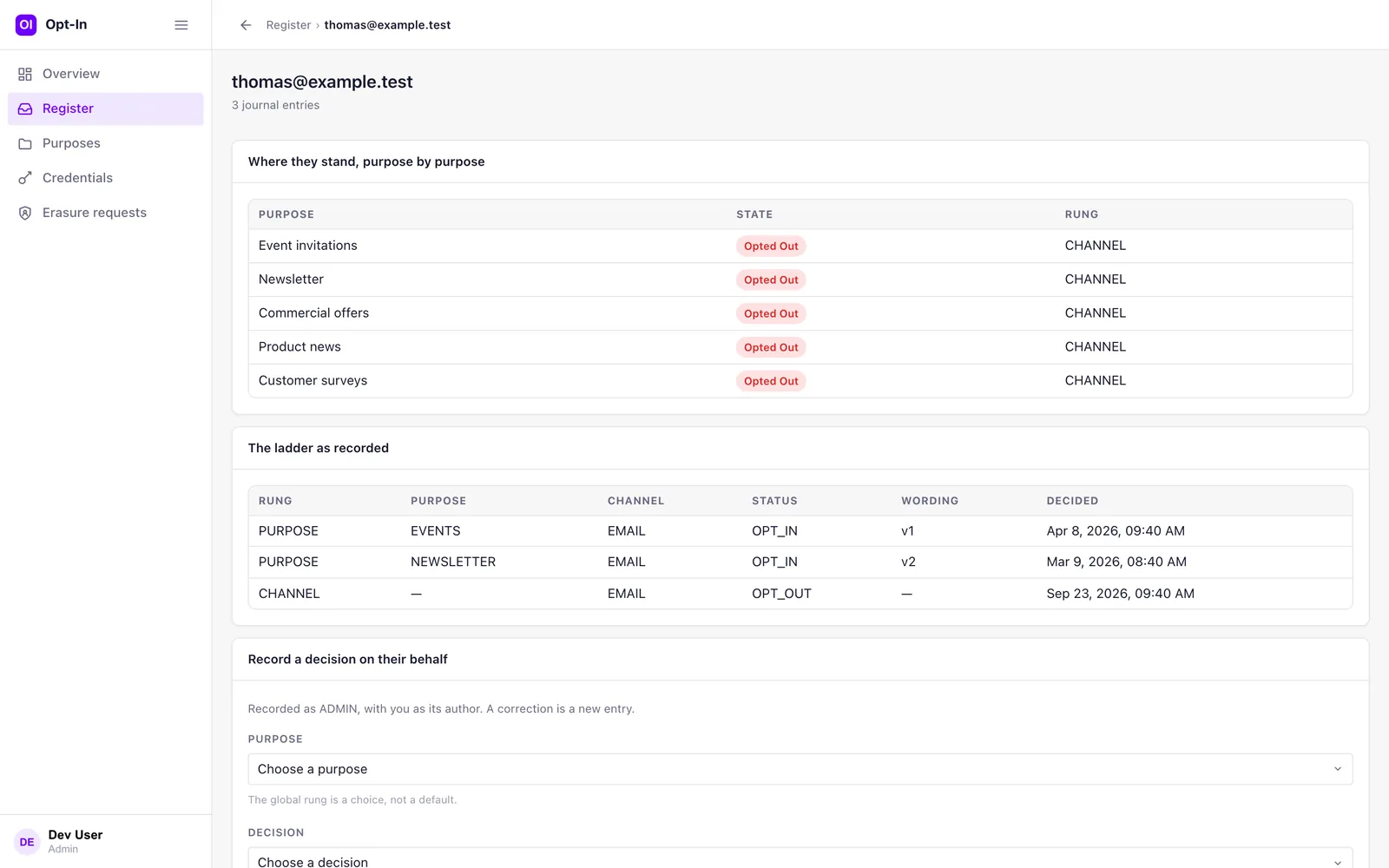
It records, you decide
A consent register that answers one question: what has this person decided about this purpose, on this channel? A privacy centre per person, versioned wordings, an append-only journal. It sends nothing.
- global, channel and purpose rungs
- privacy centre behind your own verification
- consent as a table every audience can read
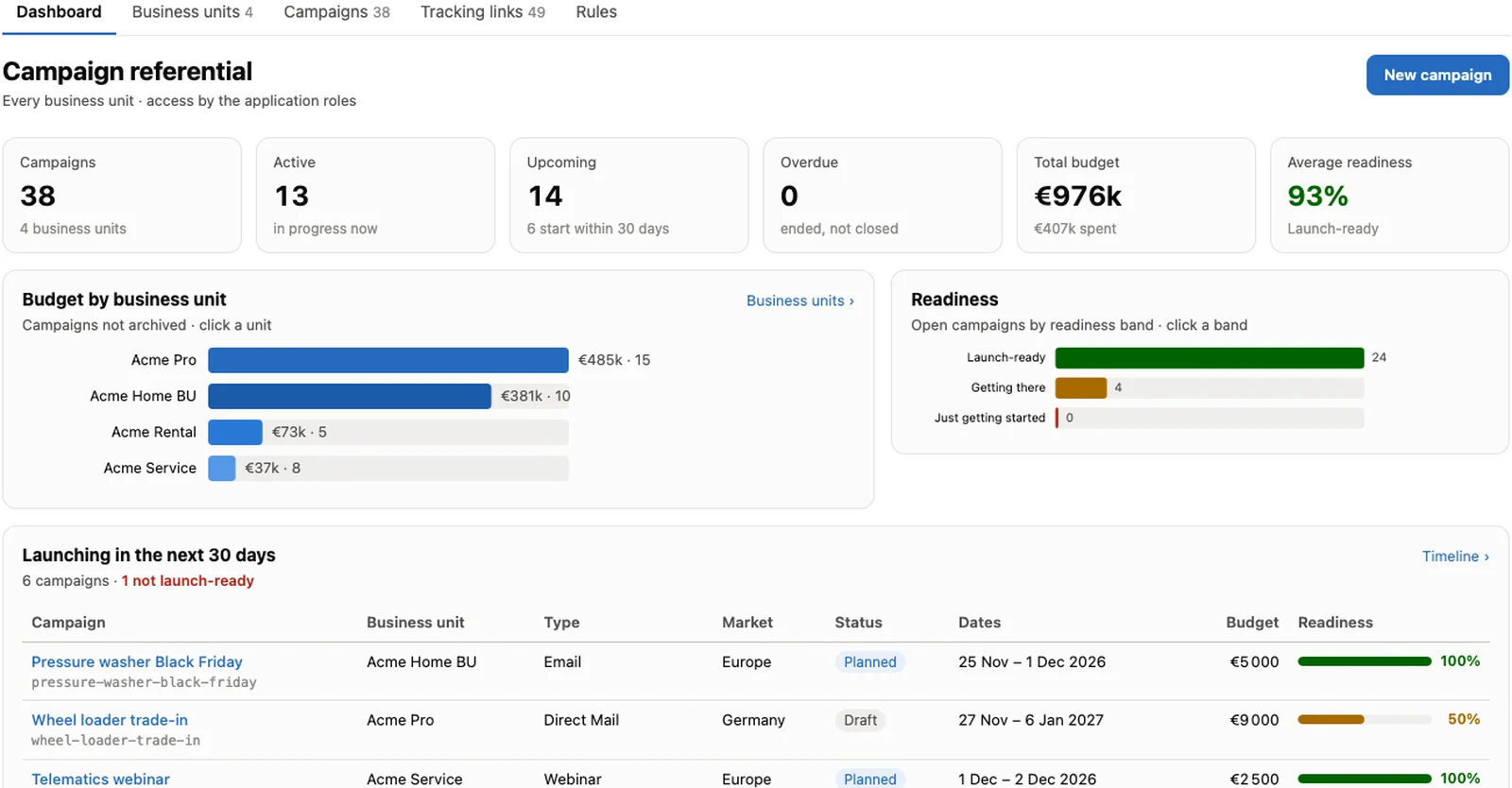
One catalogue across every business unit
Business units, campaigns, codes, markets, budgets, readiness, defined once. UTM links generated from one convention, never hand-written. Execution stays on the marketing platforms.
- codes and UTMs frozen once live
- readiness score before launch
- attribution is a join in the warehouse
Native Apps, in your Snowflake
Designed for Shuntline is not a SaaS that syncs with your warehouse. Every solution is a Snowflake Native App installed in your Snowflake account, so the integration most lead and consent tools spend their effort on is already done: the data is where your analysts, your agents and your governance already are.
From the Snowflake Marketplace
Find the listing, follow the installation prompts in Snowsight, and the app is “immediately available in your Snowflake account” ↗. No deployment project, no infrastructure to provision.
Reviewed by Snowflake
“Snowflake runs security scans on each new version and patch submitted by the provider.” ↗ Every Shuntline release goes through it before it reaches you.
The app comes to your data
“The app processes your data inside your account.” ↗ We publish the app; we cannot query your data, and nothing is hosted by us.
Hybrid tables
Referential records live in Snowflake hybrid tables: “optimized for low latency and high throughput” ↗, with row locking and enforced keys, and joined to your analytical tables in a single query.
Streamlit, in Snowsight
Record desks and consoles are Streamlit apps inside the Native App. “Apps work on your governed data under the policies you already have.” ↗
Through Snowflake
A fixed monthly fee on the Marketplace listing, invoiced by Snowflake, and eligible to draw on committed Snowflake spend under the Marketplace Capacity Drawdown program. Compute stays on your own contract.
Snowflake's own doors
Senders land data through Snowflake's standard connectors: Openflow, Snowpipe Streaming, Kafka, the SQL API. Public-facing pages, such as a privacy centre, run as custom extensions on Snowpark Container Services inside the app. Everything is a dataset the moment it lands.
Your users, one referential
Snowflake sign-in through your identity provider. Snowflake's native roles cover simple cases, your own MDM or access referential can drive them, or Shuntline Hub, free and optional, manages teams, roles and data scopes once for every solution.
Snowflake CoWork and MCP
Snowflake CoWork and Cortex Agents answer questions over the same datasets, and the managed MCP server exposes each app's actions to agents, within each person's access.
Standalone and custom, one skeleton
Every solution is built on the same native-app skeleton: a data model in hybrid tables, an intake for senders, a Streamlit console for the record desk, a rules engine the administrator edits, tools for agents. The catalogue solutions are configured, not coded. A custom solution is co-designed on that skeleton for the entity your audit surfaced.
From the catalogue
Lead management, Opt-in, Campaign referential & UTM. Installed from the Snowflake Marketplace, configured per brand and country: flags, rules, purposes, wordings, naming conventions. A fixed fee, nothing per seat.
Co-designed on the skeleton
Partner and dealer lists, product and pricing catalogues, event registrations, service entitlements: any referential the audit found in the CRM. Modelled in hybrid tables, same console, same intake, same rules engine, delivered to your account with its source code.
Runs in your Snowflake
Installed as a Snowflake Native App with compute on your own account, hybrid-table records, warehouse datasets by design, your identity provider, Snowflake CoWork, Cortex Agents and MCP. A hybrid design with AWS, Google Cloud or Azure alongside Snowflake can be studied on demand.
Adaptable & simple by design
Simplifying the CRM is the point, so each solution stays small on purpose. What varies between brands and countries lives in configuration an administrator changes in a running deployment; what must not vary is not configurable at all.
A handful of screens
A dashboard, a register, the record, the rules. No workflow builder, no page layouts, no permission-set matrix.
Rules, not releases
Flags, routing rules, purposes, wordings, campaign types and UTM conventions are configuration: changed today, in force on the next record, no deployment.
Nothing overwritten
Payloads frozen at arrival, decisions journaled, codes and wordings frozen once published. A correction is a new version beside the original.
Native, in your account
A Snowflake Native App in your account, reviewed by Snowflake at every version, no seat and no fee per user.
Industry referentials
CRMs have been verticalised: industry data models living inside the org, one per sector. Many of those objects are referentials rather than workplaces, which is exactly the pattern. On the skeleton they become industry solutions next to the warehouse.
Together, the upstream record
Joined in the warehouse, the solutions describe a person before the CRM hears about them: which campaign brought them, what they consented to, what they asked for. That audience is built once, with accurate data, and pushed by reverse ETL to the platforms that execute.
Not sure which entity should move first? Start with CRM Insights →
Questions about the solutions
Short answers to what architects, CRM owners and marketing ops ask first. Everything here is also in the pages above, in more depth.
What is a Shuntline solution?
A CRM use case extracted from Salesforce and given a small, adaptable application of its own: a handful of screens, rules an administrator edits, Snowflake connectors for senders and consumers, MCP tools for agents. It is a Snowflake Native App, installed from the Snowflake Marketplace into your account; its records live in hybrid tables and its screens in Streamlit.
How is a solution installed?
From its Snowflake Marketplace listing, like any Snowflake Native App: an administrator follows the installation prompts in Snowsight and approves the privileges the app requests, and the app runs in your account. Every new version passes Snowflake's automated security review before it reaches you. The compute it consumes is billed by Snowflake on your own account and contract; Shuntline never resells it, and nothing leaves your account.
What is the difference between standalone and custom?
Standalone solutions come from the catalogue (Lead management, Opt-in, Campaign referential & UTM) and are configured, not coded. A custom solution is co-designed on the same skeleton for an entity the audit surfaced that the catalogue does not cover: partner lists, product and pricing catalogues, event registrations, service entitlements.
Why hybrid tables for the records?
Because these records are transactional: received, versioned, corrected, audited. Hybrid tables are Snowflake's row-based tables for low-latency reads and writes, with row locking and enforced primary and foreign keys, and they sit next to your analytical tables: one query joins the register to the rest of the warehouse.
See a solution on your data
Bring a sample of the entity you want out of the CRM: a day of leads, a consent export, a campaign list. We show the matching solution live in Snowflake, or sketch the custom one on the skeleton.
- A working session with the team that builds it
- Standalone from the catalogue, or a custom solution scoped on the spot
- Snowflake architecture, security and hosting questions answered