
Shuntline Send · reverse ETL for messaging, in your Snowflake account
Send the audience, not the database
Shuntline Send builds segments on your own Snowflake tables and sends mailings through your own provider account. Nothing is copied into a marketing platform, and every result stays in Snowflake.
send /sɛnd/ · verb To hand a message over for delivery.
The problem
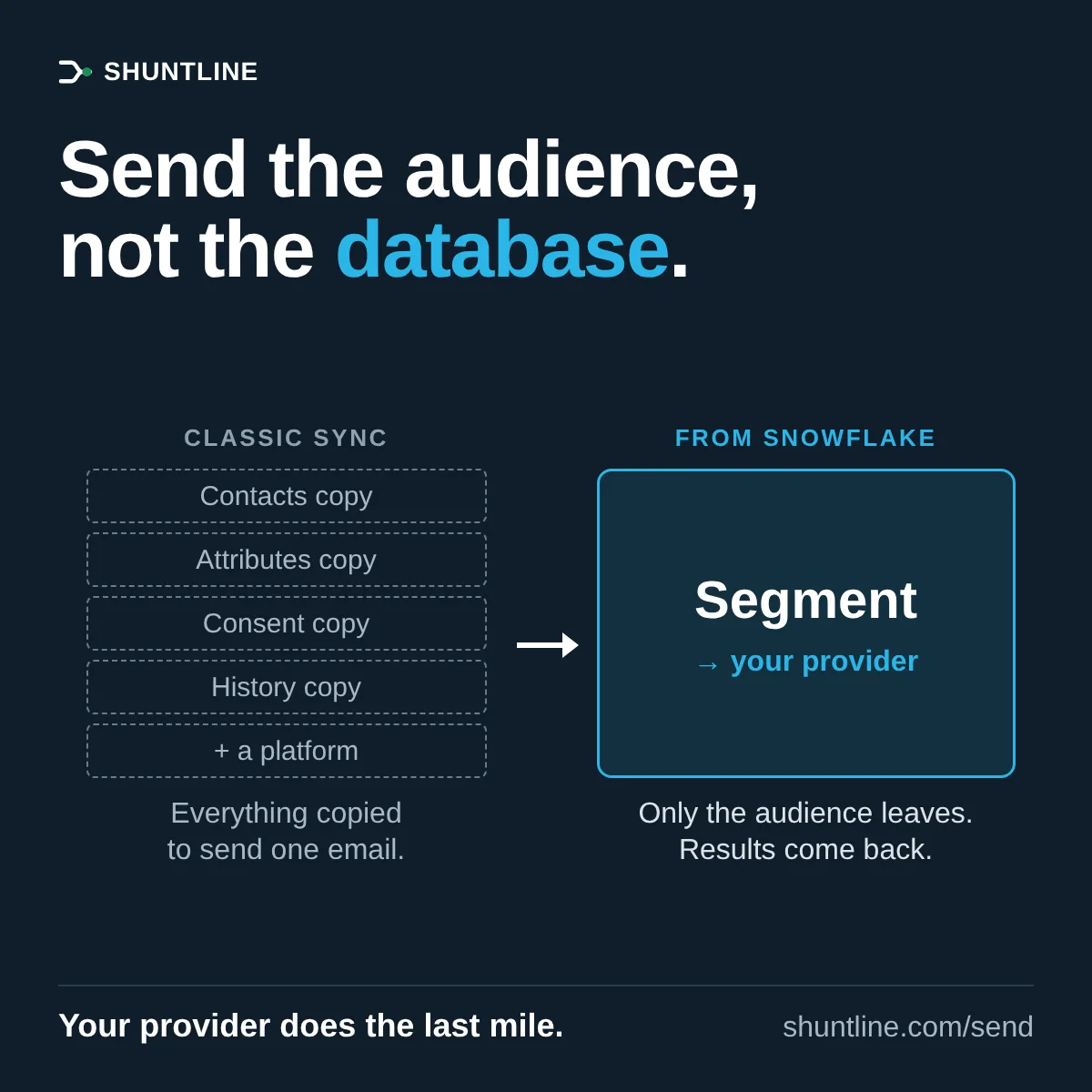
A copy of your customers, to send one email
Emailing usually starts by synchronising contacts, attributes and consent into a sending platform. The copy has to be kept right every day, and it is often priced per contact.
Data leaves to be used
Customer tables are exported and synchronised before a single message is sent.
A flag that goes stale
The platform sends on its own copy of consent, not on the decision as it stands.
Scattered answers
Bounces and unsubscriptions stay in the platform, away from the systems that own them.
Paid per contact
A platform sized for journeys, used for messages that never needed one.
The answer
Constrain, segment, send
Three steps, all inside your Snowflake account. Your data stays where it is; the app reads it at each run with the grants you give it.
Your tables, set up once
A table or view of yours becomes a source: customers, partners or employees, with the consent register that answers for them (Shuntline Opt-in or a table of yours) and how it is refreshed. Consent and campaigns are read live.
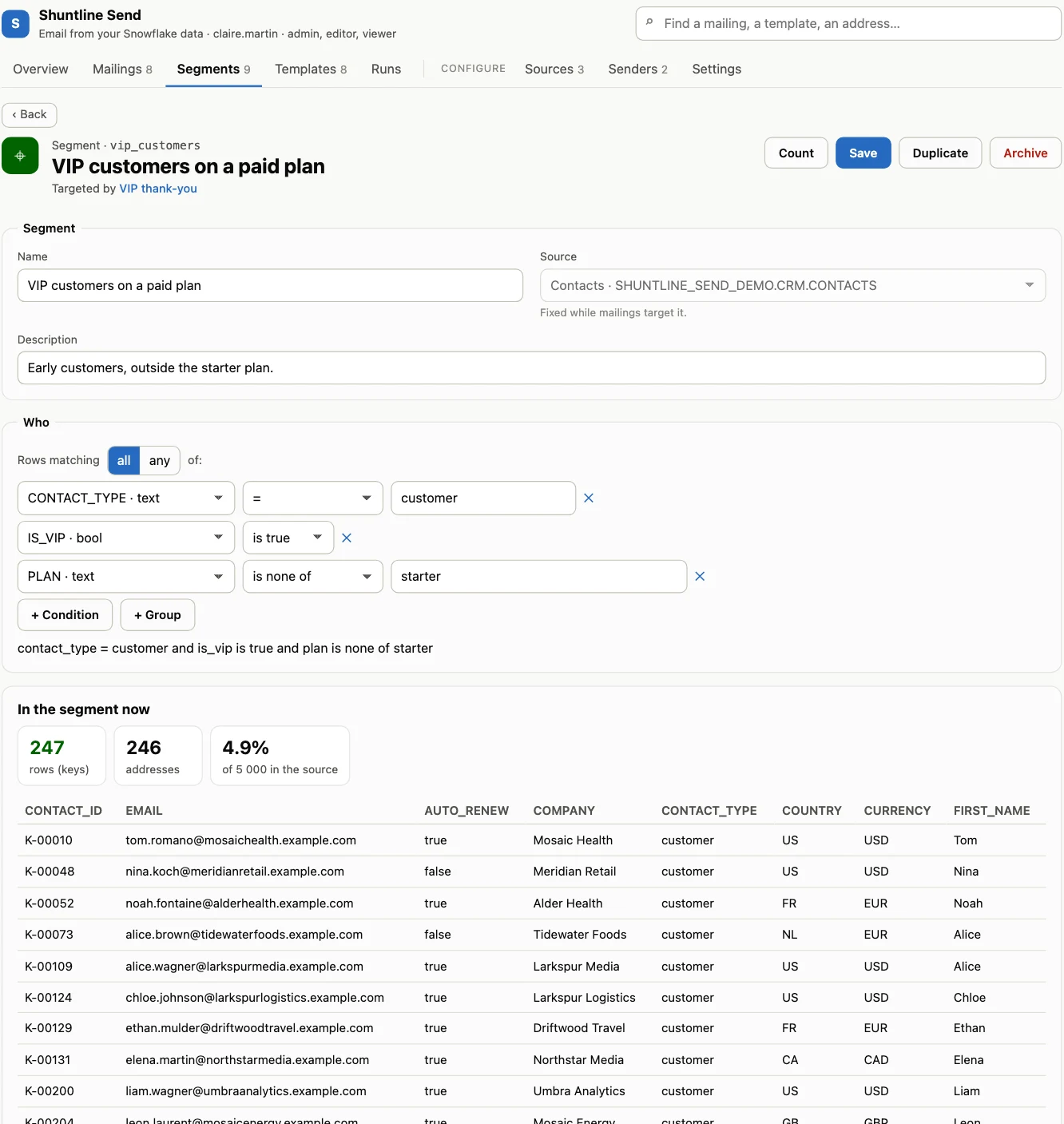
Who, as conditions
Conditions on your own columns, grouped and nested. The segment is evaluated at each run, on the data as it is at that moment.
Your provider delivers
Messages are rendered from templates and handed to your own provider account. Every message, run and provider answer is kept as SQL views.
See it in a minute
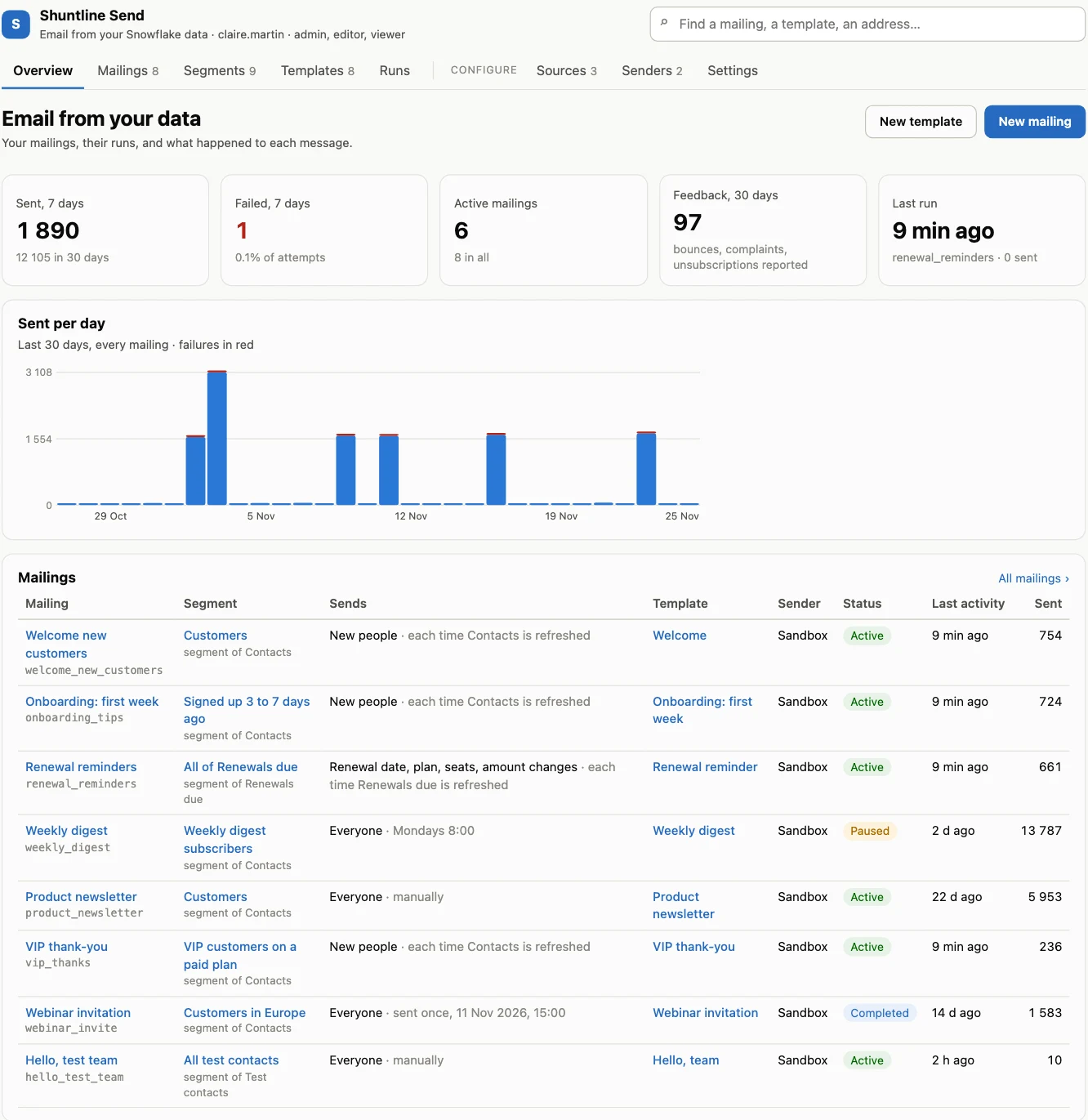
From a source set up once to every message kept, in the real product on fictional data.
- A source: your table, its consent, its suppressions
- A template, previewed as you write
- A segment, counted live on your data
- A mailing and its preview, before anything is sent
- Every send, message and provider answer, kept
Your provider does the last mile
Send decides who receives what, and when. Delivery belongs to the provider you already trust, on your own account and your own sending domain.
Postmark
Included in the free Standard edition, with a sandbox sender to try everything without sending.
Amazon SES
In the Enterprise edition, paced to your sending rate, in your region.
Twilio · SendGrid
Email through SendGrid, SMS and WhatsApp through Twilio. Senders can already be configured and mailings previewed; delivery follows.
Salesforce Marketing Cloud
Through a transactional send definition, for teams that keep Marketing Cloud for delivery.
Other providers
The sender model is the same for each provider. In the Enterprise edition, others are added on demand.
Kept, and applied
Bounces, complaints and unsubscriptions are kept as a SQL view and hold those addresses back; unsubscriptions can be recorded as opt-outs in Shuntline Opt-in.
Rules that hold at every run
Each run reads the audience as it is, then applies the same rules in the same order. A preview shows the outcome before anything is sent.
Once, on change, to everyone
A welcome is sent once, a renewal notice again when its date changes, a newsletter to everyone at each send: on your pipeline's signal, on a clock or at a date.
Read at the moment of sending
Opted-in only, or all but those who refused. A refusal always wins.
Suppression built in, and a frequency cap
Addresses the provider reported as bounced or complaining are held back, unsubscribed ones from marketing; marketing messages are capped per address.
Everything as SQL views
Who received what, who was held back and why, and what the provider answered.
Where Send fits
Lead management, Opt-in and Campaigns hold reference data upstream of the CRM. Send is different: it starts downstream execution, from the same account, and stops where your provider begins.
The records
Leads, consent and the campaign catalogue live in your Snowflake account. Send works with these Shuntline records, with any table of your own for contacts and opt-ins, or with both.
The audience and the message
Segments, templates, rules and schedules, with consent and campaign codes read live.
Delivery and journeys
Your email provider delivers. A CDP or marketing platform keeps multi-step journeys and real-time personalisation.
Free to start, in your account
Send is a Snowflake Native App. It installs from the Snowflake Marketplace, runs in your account and reaches only the provider hosts you approve.
Email through Postmark
Sources, segments, mailings, templates, rules, built-in suppression, schedules, console and SQL API. An unlimited trial, with no end date.
More providers and channels
Amazon SES, then Twilio, SendGrid and Salesforce Marketing Cloud, or others on demand. At a fixed monthly price, nothing per contact or per seat.
A sandbox sender
Preview who would receive a mailing, then run it through a sender that records everything and sends nothing. Documentation →
Questions about Shuntline Send
What is Shuntline Send?
A Snowflake Native App for reverse ETL in messaging. It builds segments on your own Snowflake tables and sends mailings through your own provider account, such as Postmark or Amazon SES. Nothing is copied into a marketing platform, and every result is kept in Snowflake.
Can I send email directly from Snowflake?
Yes. Send renders each message inside your Snowflake account and hands it to your email provider's API, on hosts you approve. Postmark and Amazon SES are available; Twilio (SMS, WhatsApp, SendGrid email) and Salesforce Marketing Cloud are coming, and other providers can be added on demand in the Enterprise edition.
Does Shuntline deliver the emails?
No. Delivery is the provider's job, on your own account and sending domain. Send decides who receives what and when, and records what the provider answers.
Is Shuntline Send a marketing automation platform or a CDP?
No. It covers messages that need a segment, a template and rules. Multi-step journeys and real-time personalisation stay with a CDP or a marketing platform.
How is consent handled?
Consent is read live at each run, from Shuntline Opt-in or from a table of yours. Unsubscriptions and complaints the provider returns hold the address back from marketing at once, and can be recorded as opt-outs in Shuntline Opt-in.
What does it cost?
The Standard edition is free on the Snowflake Marketplace, with email through Postmark. The Enterprise edition comes on request, at a fixed monthly price, nothing per contact or per seat. Snowflake compute runs on your own contract.
Send from where the data is
Bring a table and a provider account. We build a segment and a mailing with you, preview who would receive it, and send through the sandbox.
- A working session in a Snowflake account
- Your consent and suppression rules applied live
- Security and hosting questions answered